> For the complete documentation index, see [llms.txt](https://docs.quantvue.io/llms.txt). Markdown versions of documentation pages are available by appending `.md` to page URLs; this page is available as [Markdown](https://docs.quantvue.io/quickstart-guides/pro-plan-setup-guide/step-3-collab-with-others.md).
# Step 3: Collab With Others
Trading doesn't have to be lonely.
Your best chances at manual trading success are in the collaboration with our hundreds of QuantVue clients.
Take advantage of our 14,000+ member Discord community and exclusive members only channels.
Clients share what's working for them, strategy ideas, risk management best practices, and so much more.
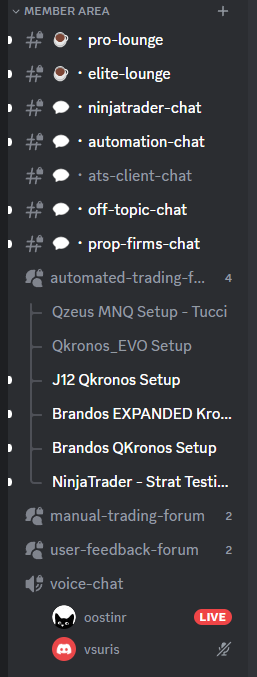
Head over to our Discord community members-only channels:
The #manual-trading-forum in particular is a fantastic place to see what others are doing in real-time with the QuantVue indicators.
Utilize the Discord community to your advantage and you'll be well on your way to finding success with our system.
If you don't see the members area, follow the steps here to unlock them: [Step 2: Joining the Discord](/quickstart-guides/all-plans-setup-guide/step-2-joining-the-discord.md)